Personalization guides
How to Choose Photos for a Birthday Surprise
Select birthday photos with meaning, comfortable sharing and clear crops. Use a practical shortlist, an example selection table and a final review checklist.
- By WishVerse
- Updated
- 5 min read
Choose pictures for the person receiving them
Begin with a question: which pictures would make this person feel recognized? The most flattering or technically perfect image is not always the most meaningful. A slightly imperfect photograph of a good day can carry more feeling than a polished portrait with no story attached.
You are making a birthday selection, not preserving an entire archive. Choose a small set with a clear purpose, then stop when each picture has something different to contribute. In WishVerse, photos are optional and you can add up to ten. That is a limit, not a target; three thoughtful images can be enough.
Build a shortlist in two passes
- First pass: collect possible pictures without writing captions. Look for moments the recipient would enjoy remembering, including ordinary days and shared interests.
- Second pass: remove anything uncomfortable, private or repetitive. Check who else appears in the image and whether sharing it would reveal something they would rather keep private.
- Choose a mix of purposes. A portrait can make the greeting feel immediate, a shared activity can tell a story and an ordinary picture can make the collection feel familiar.
- Compare the remaining images in their intended order. If two pictures tell the same story, keep the one that works better on a small screen.
Do not treat a group photo as automatically safe because it is already in your phone. Consider children, other people’s homes, school or workplace details, visible documents and sensitive occasions. When in doubt, ask, crop appropriately or choose another picture. A birthday surprise is not a reason to publish a private memory.
A worked example: five pictures from a larger album
| Possible image | Decision | Reason |
|---|---|---|
| A recent portrait they already like | Keep as the opening picture. | Recognizable and a comfortable way to begin. |
| Six nearly identical café selfies | Keep one. | One image tells the story without crowding the selection. |
| A walk with a funny handmade sign | Keep with a caption. | A shared detail adds personality beyond a posed picture. |
| A party photo with someone looking uncomfortable | Leave out. | The joke is not worth making another person uneasy. |
| A quiet board-game evening | Keep. | An ordinary ritual balances the bigger occasion. |
| A recent trip together | Keep as the final memory. | It points naturally toward another adventure. |
The example leaves five pictures, each with a different role. Your own selection may need fewer. If you have no recent images, do not fill the gap with photographs from the internet or pictures the recipient does not recognize. A message-only surprise can be more personal than an unrelated image collection.
Check crops and readability on a phone
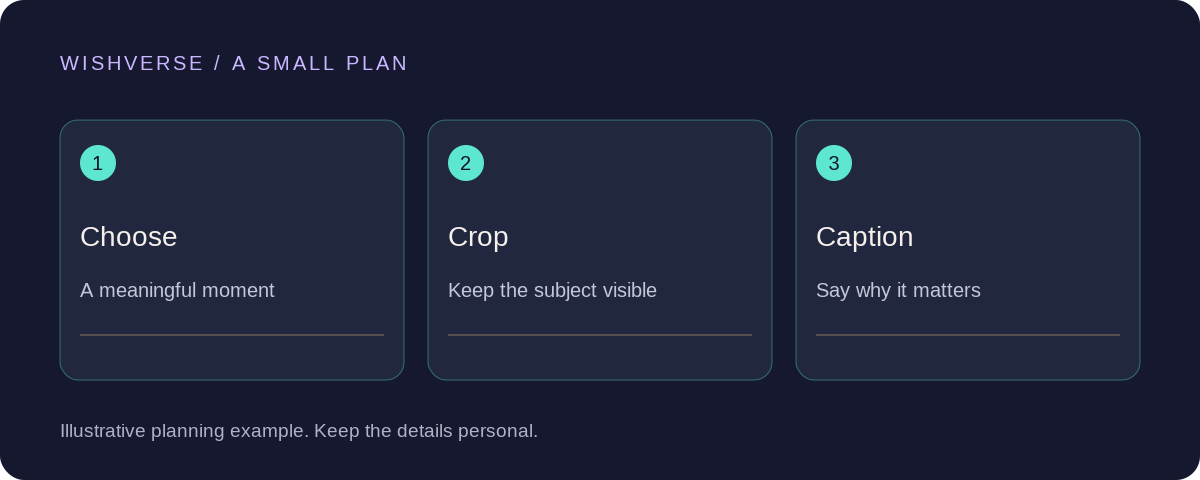
Preview the image in the space where it will appear. A wide group picture may become difficult to read when displayed small. Keep the important face or object visible, and avoid a focal point that sits at the very edge. If cropping would remove somebody important, choose a different image rather than forcing it to fit.
Use the clearest original copy you have instead of a screenshot of a screenshot. Avoid enlarging a tiny image and expecting new detail to appear. If the source is imperfect but the memory matters, use a short caption to explain the moment; heavy decoration is unlikely to solve the underlying image problem.
Write captions that add something the picture cannot
Before
At the café, 2024.
After
The afternoon we ordered one pastry to share and immediately admitted we needed two. Still one of my favorite conversations.
The second caption adds a remembered detail and explains why the photograph belongs in the birthday selection.
A caption can be one sentence. Keep names and dates only when they help the recipient place the memory. Avoid repeating the same “best day ever” line under every picture. You can vary the meaning: one caption can be funny, one grateful and one a quiet reminder of a routine you enjoy.
If you do not remember an exact date, leave it out rather than guessing. Do not invent dialogue to make the story more charming. Specificity is useful when it is true; an honest “our long walk after lunch” is better than a precise but incorrect account.
Review before you share
- Every picture is one you have permission to use, and the recipient is likely to enjoy seeing it.
- Other people in the images are comfortable with the intended sharing context.
- There are no visible addresses, private documents or details that should stay out of the surprise.
- The images have different roles, with unnecessary duplicates removed.
- Faces and important objects remain visible in the preview on a small screen.
- Captions are accurate, short and connected to the birthday message.
Once your selection is ready, use the photo-story guide to arrange it. If you are building a WishVerse experience, you can upload, reorder and caption the pictures in the Photos step, then check the result before sharing.
Keep reading
Related articles
- Personalization guides
How to Turn Birthday Photos into a Personal Story
Arrange birthday photos into a story with a beginning, familiar moments and a thoughtful ending. Includes a fictional five-picture sequence and caption examples.
· 5 min read
- Birthday-surprise ideas
Romantic Birthday Surprise Ideas That Feel Personal
Plan a romantic birthday surprise around your partner’s preferences, with ideas for quiet evenings, distance, photo stories and a manageable preparation checklist.
· 6 min read
- Birthday-message inspiration
Beautiful Birthday Messages for Mom: Loving Words to Make Your Own
Loving birthday messages for Mom, from short thank-yous to funny wishes and longer letters, with gentle options for complicated relationships.
· 5 min read